
How to Connect Shape's ADI to Data Studio
Integrating with Google Data Studio
Once your Shape Data Warehouse is spun up, you can access Google BigQuery directly from the Shape platform.
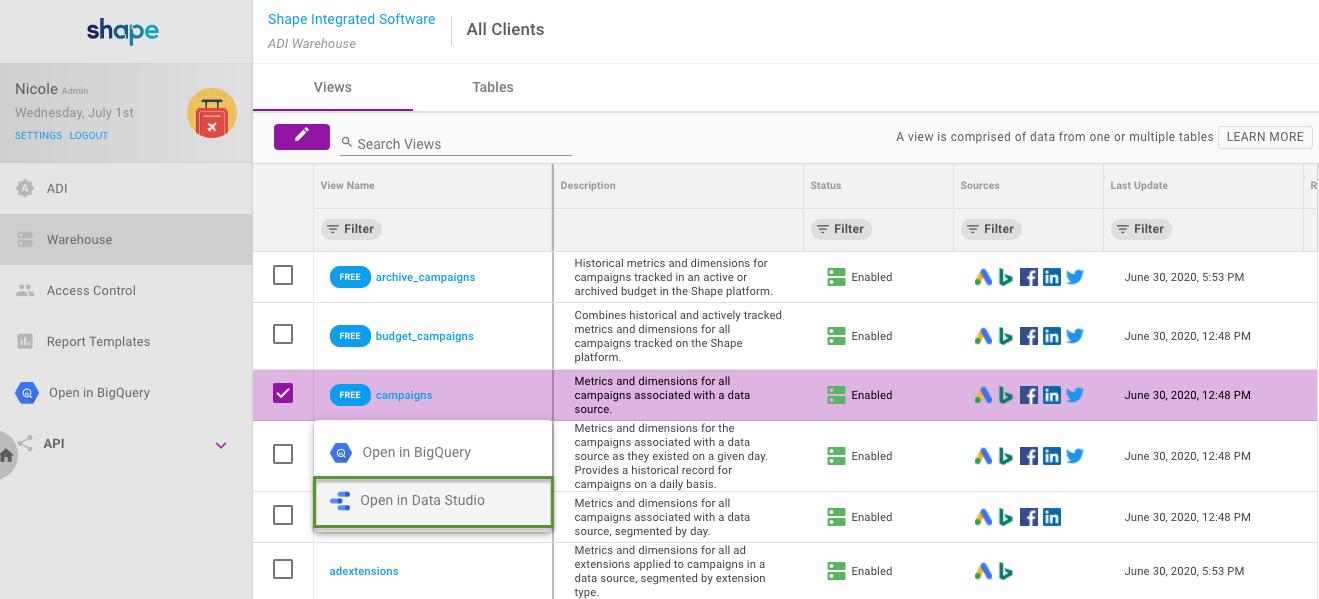
1. Navigate to the Advertising Data infrastructure page, then click the Warehouse tab.
2. Select the View Name from the table you want to import into Data Studio. A drop-down will appear.
3. Select "Open in Data Studio."
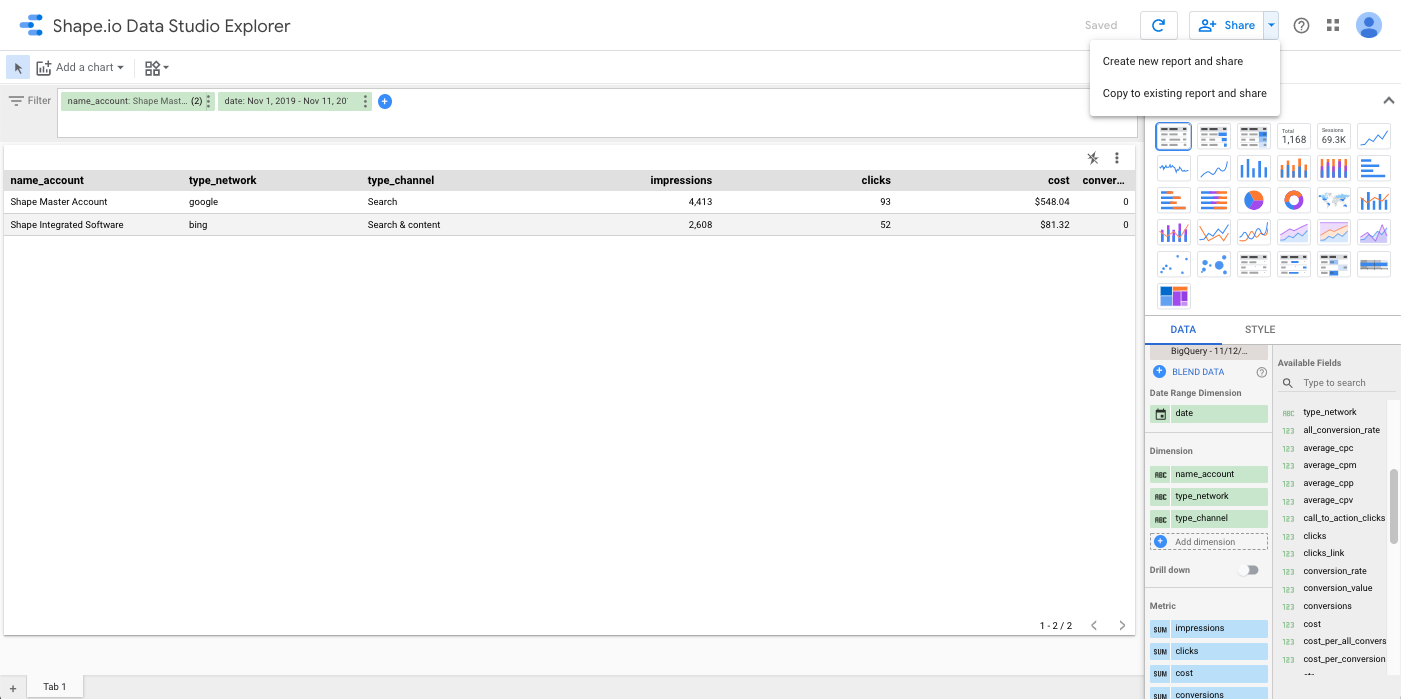
4. Data Studio Explorer will open with data from that individual table. If you haven't used Data Studio before, follow the steps to "Get Started" in Data Studio and authorize it to access your Google BigQuery data.
5. Your data should now be available in Data Studio Explorer. Explorer allows you to edit, view, and visualize your data faster. You can change graph/chart styles, add fields, and more.
6. To export your table, chart, or graph to a Data Studio report, click the "Save" button then "Share." Create a New Report or Copy to an Existing Report.
Connecting the ADI to Data Studio - Video
Please expand the video to full screen for an optimal viewing experience.
Updated 3 months ago